Most Belgian SMEs have no IT person. They have an owner who manages licences in the evening, a nephew who 'knows about computers' and a collection of separate subscriptions: mail at the hosting company, files in Dropbox, meetings on Zoom, passwords in an Excel sheet. Canvos replaces that collection with one workplace on a European server, set up in half a day. In this guide you see what Demo BV, a fictional SME with three employees, has after that half day. Note: the administration screens are currently shown in Dutch; the captions translate every step.
Step by stepSeven steps
1. One workplace, one login 2. Add a colleague in two minutes 3. Mail on your own domain 4. Shared calendars 5. Files and Euro-Office 6. Video meetings without hassle 7. Secure without thinking about it
One workplace, one login
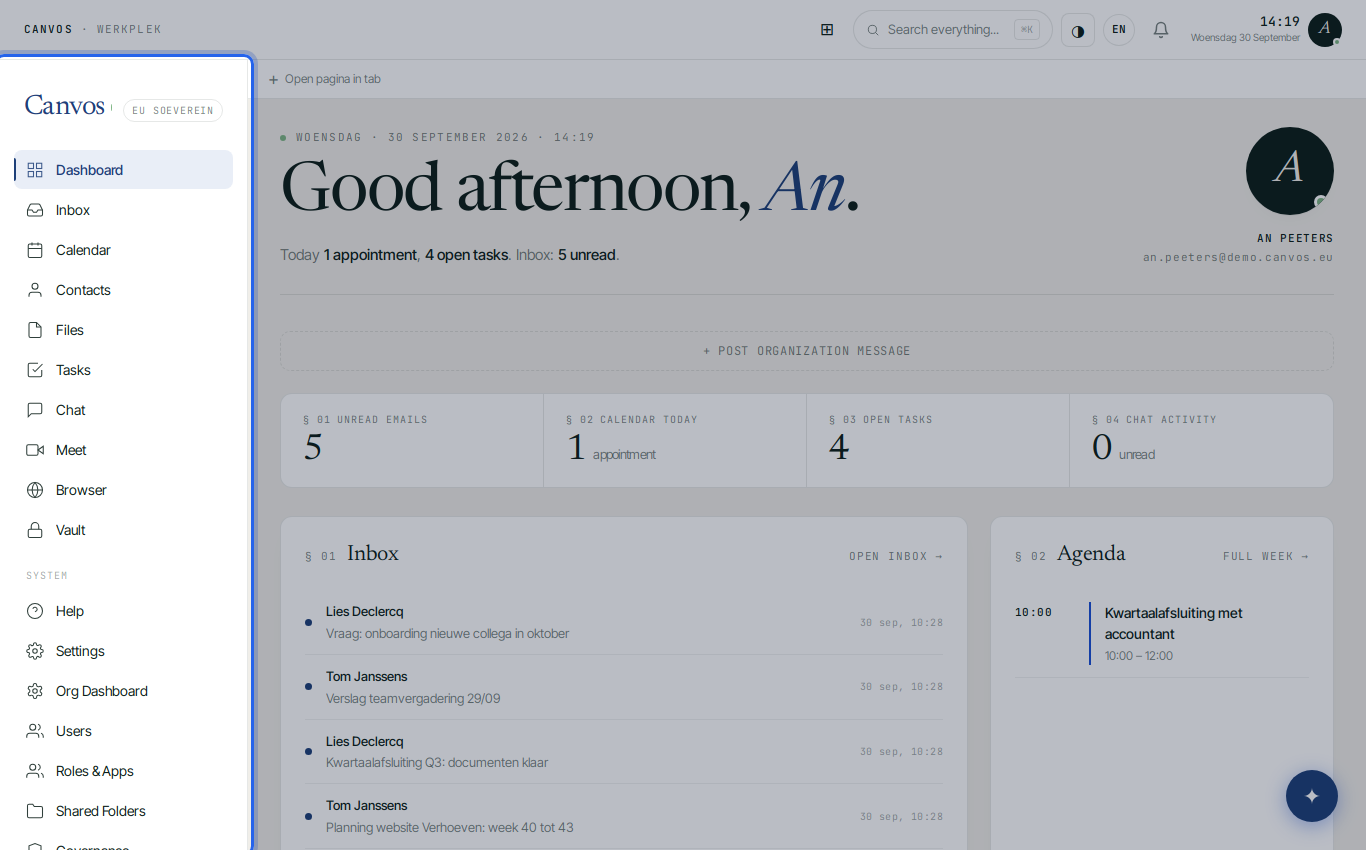
After logging in every employee sees on the left everything the company uses: Inbox, Calendar, Contacts, Files, Tasks, Chat, Meet, Browser and Vault. No more ten tabs and ten passwords. The administrator also sees the organisation management below.
Add a colleague in two minutes
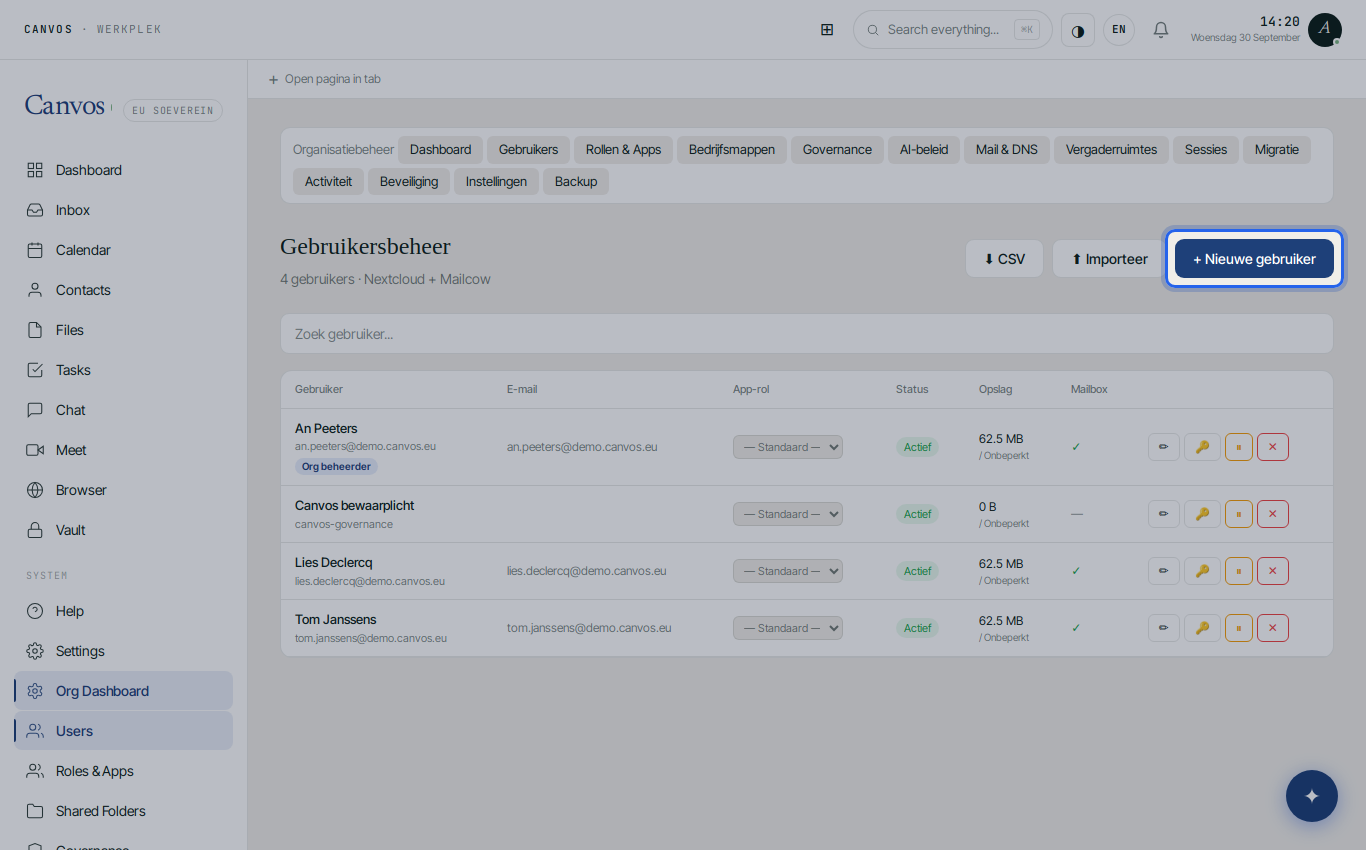
Under Users you create a colleague with name, password and storage quota. Account, mailbox on your domain, calendar and address book are ready immediately. When someone leaves, you disable the account in one click, everywhere at once. See the organisation management guide for details.
Mail on your own domain
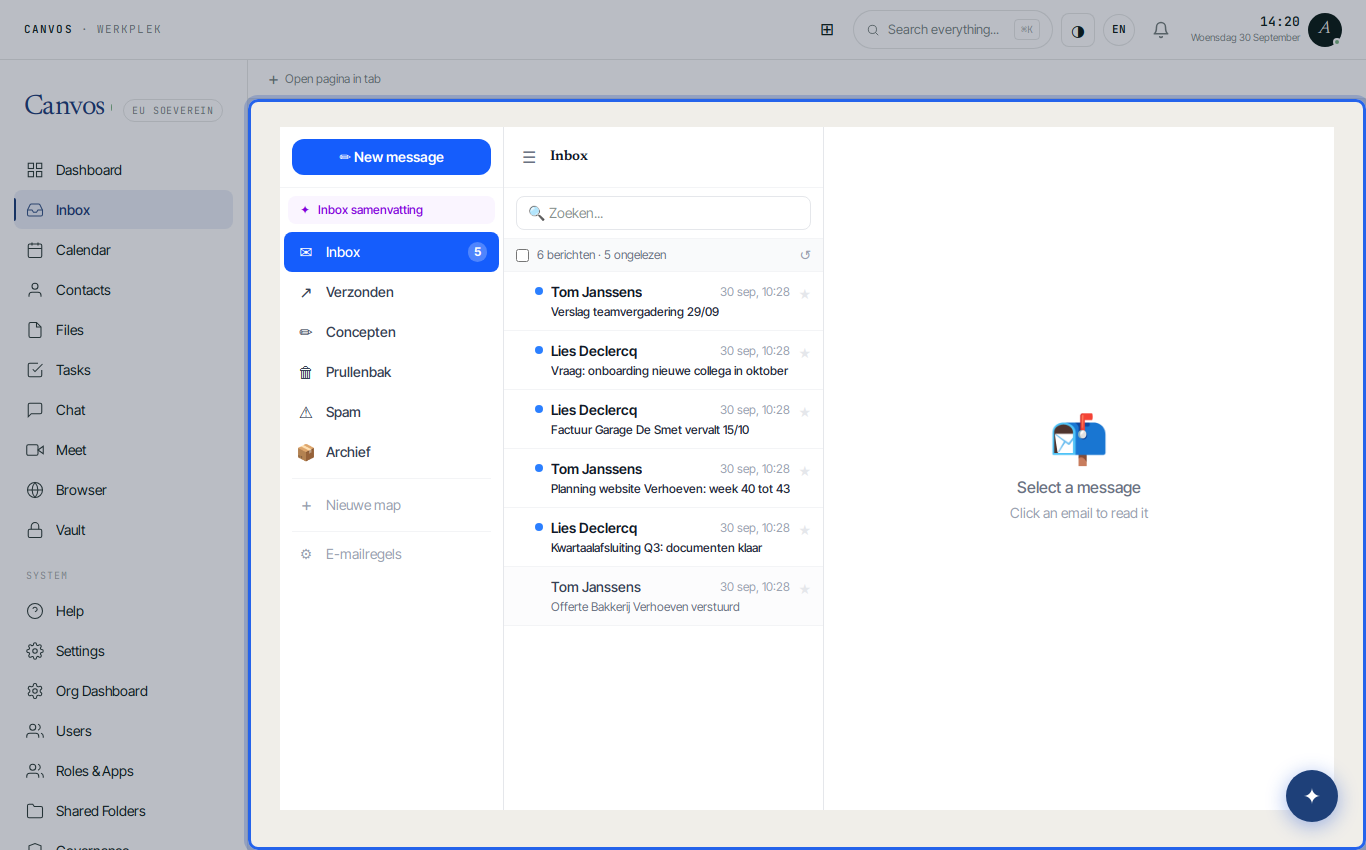
The Inbox works as you are used to: folders, rules, signature, out-of-office reply and a shared mailbox for info@ or accounting@. Your mail sits on a server in Europe, with a retention period you set yourself. On your phone you simply use your familiar mail app.
Shared calendars
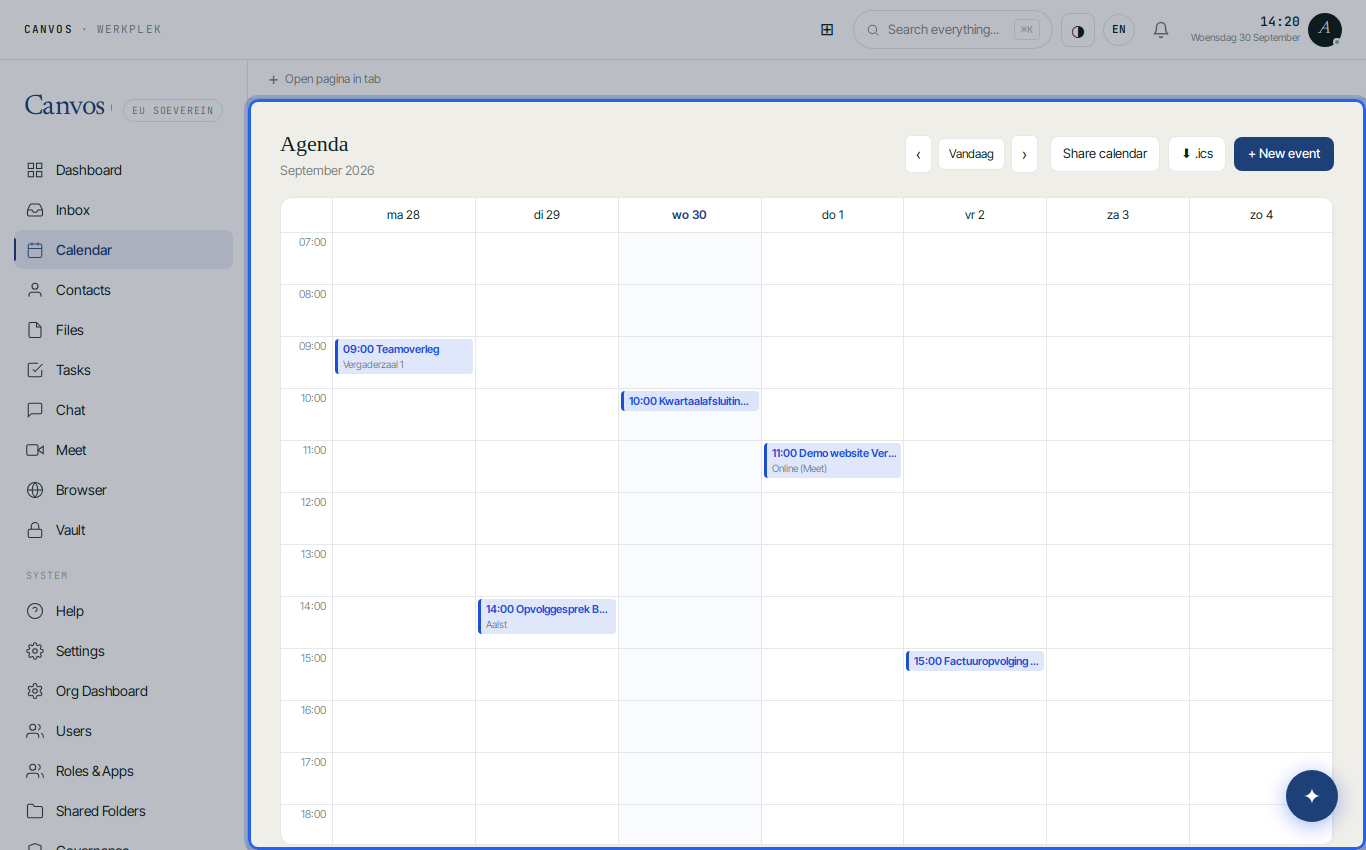
Your calendar and your colleagues' sit side by side; scheduling an appointment with a video link is one click. The calendar syncs with your phone and the desktop client, without Google or Microsoft in between.
Files and Euro-Office
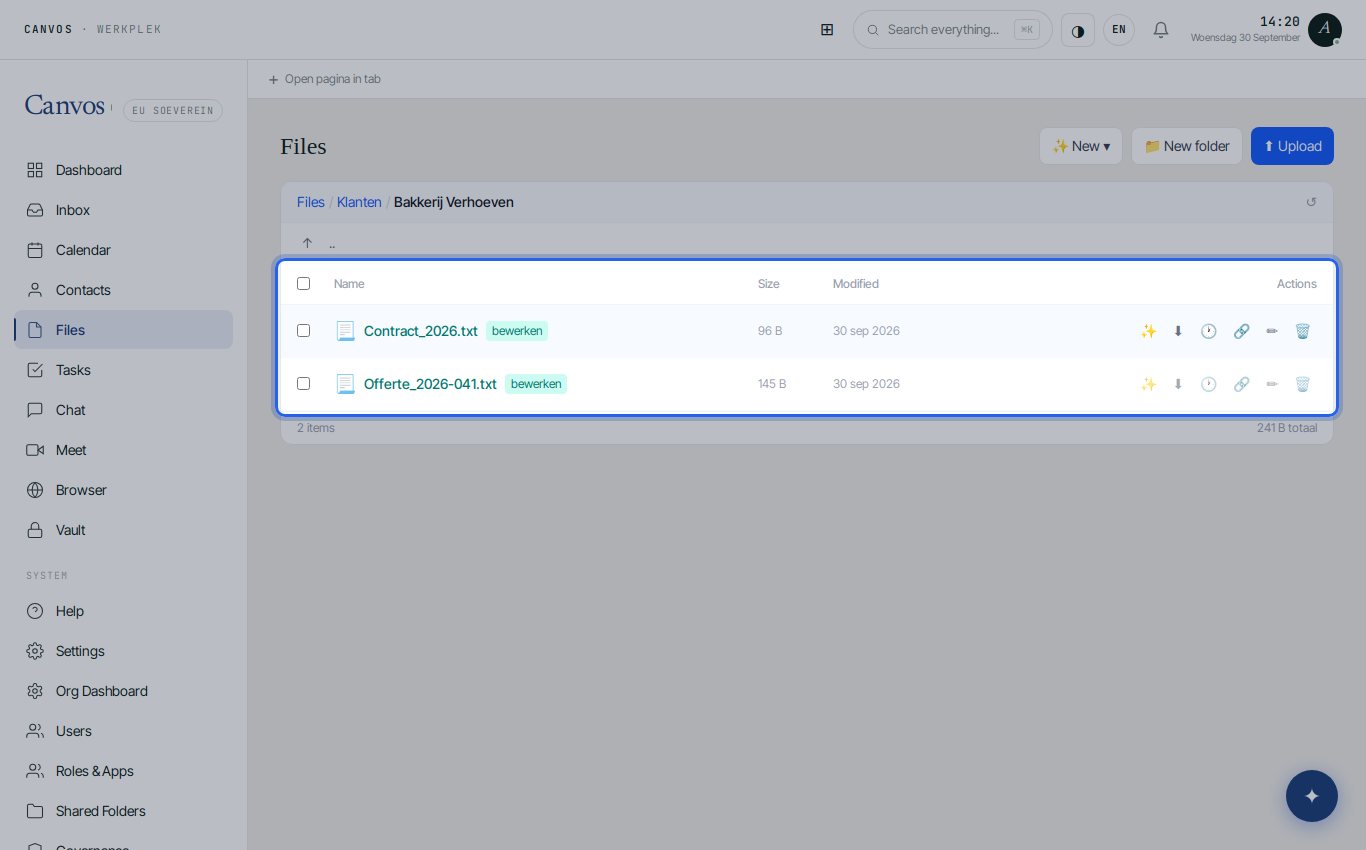
Under Files are the folders per client or project, with version history and a recycle bin. Quotes and contracts open directly in Euro-Office, a full word processor, spreadsheet and presentation tool in the browser, in which you work with a colleague in the same document. Whoever prefers to work locally uses the desktop client that syncs the folders.
Video meetings without hassle
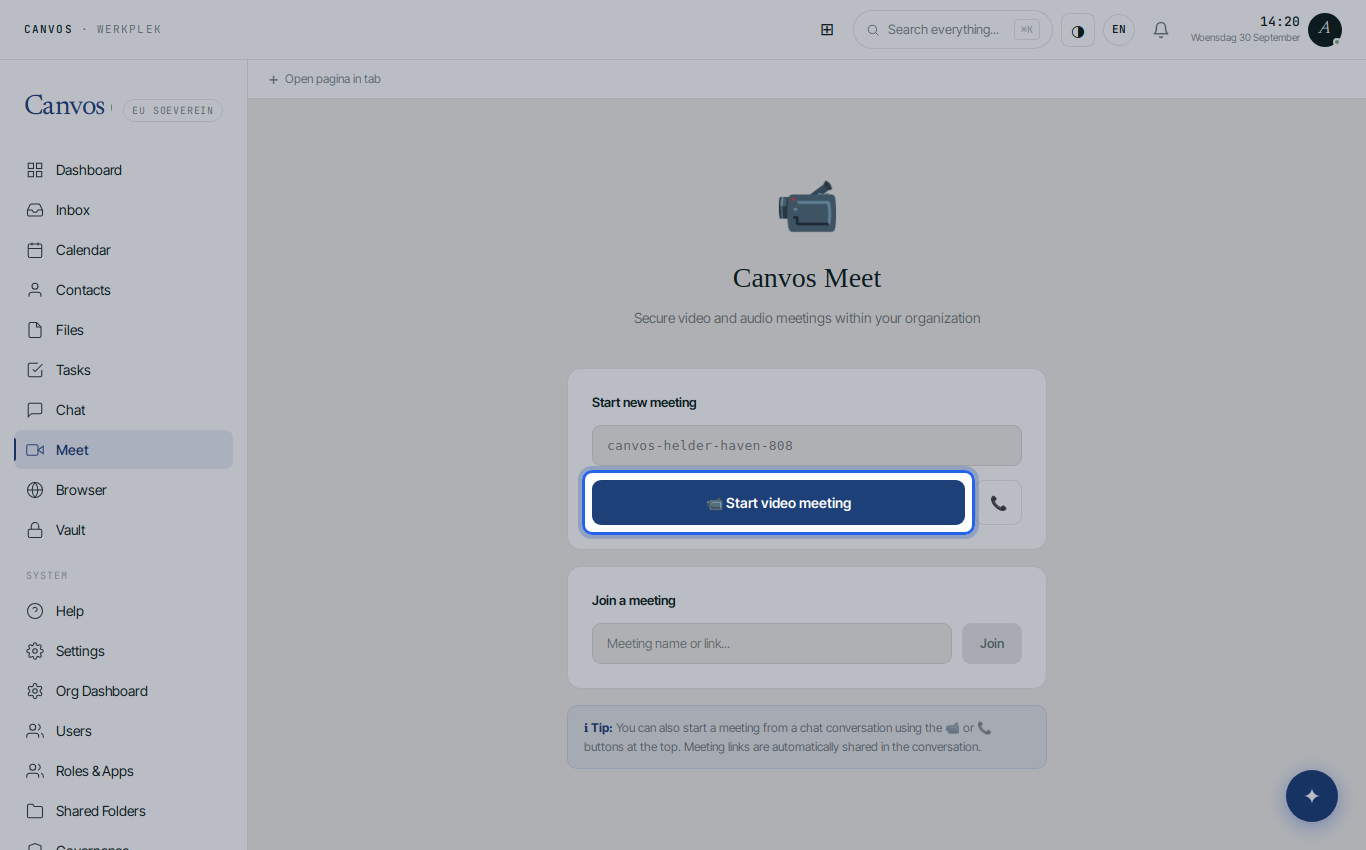
Under Meet you start a video meeting and send the link to a customer or supplier. They click and join, without account or installation. The connection runs through your own Canvos environment, not through a US service.
Secure without thinking about it
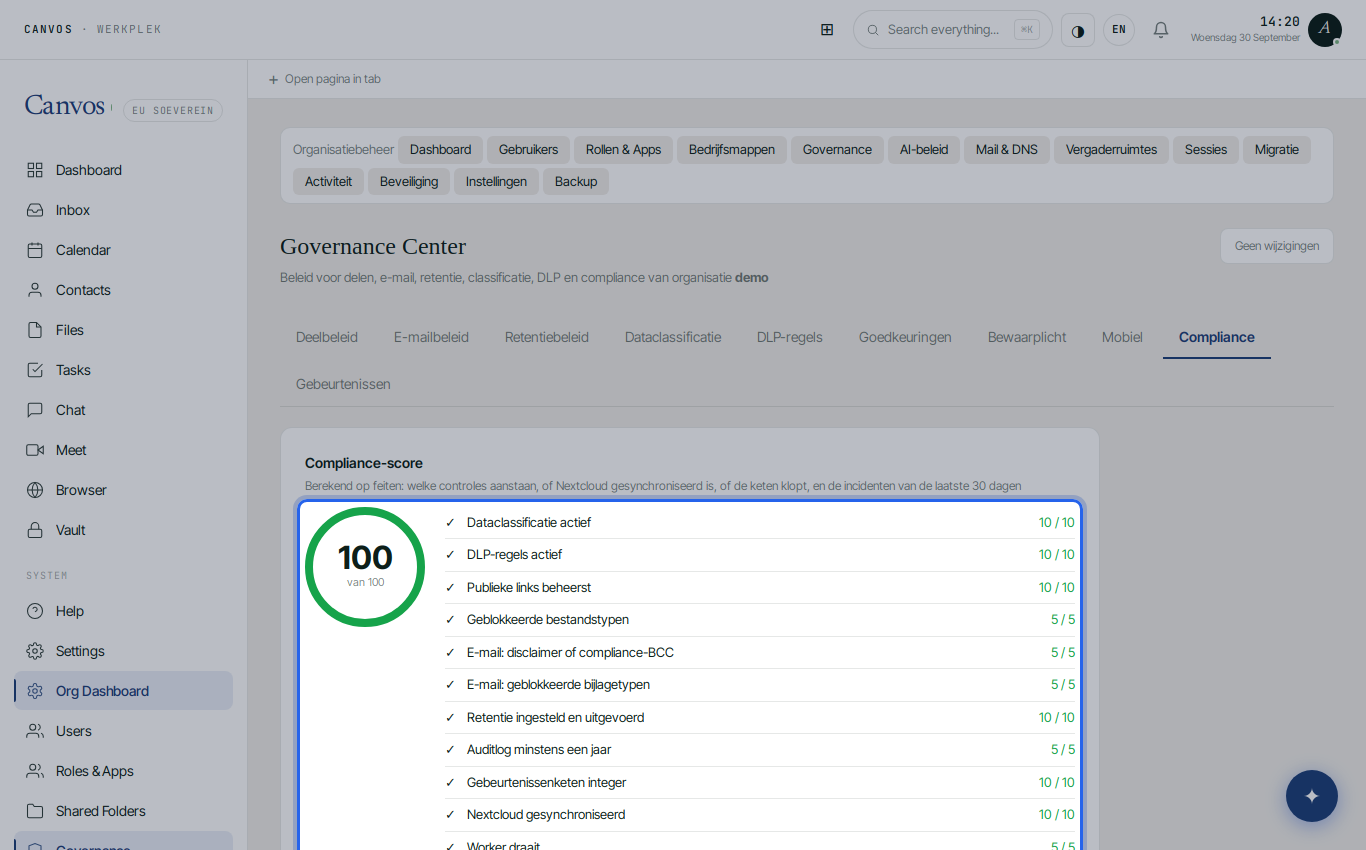
Backups, two-factor authentication, a sharing policy with password and expiry, retention and a log are on by default. The compliance score in the Governance Center shows at a glance where your company stands and produces a report for your accountant, insurer or a large customer asking how you handle data.
FAQFrequently asked questions
How much work is the switch for us?
Count on half a day for the setup and an evening for migrating mail and files. With the migration wizard you keep working in your old environment until the day you repoint the MX records. Canvos or your IT partner can do the setup for you.
Do Word and Excel files still work?
Yes. Euro-Office opens and saves .docx, .xlsx and .pptx, next to the open formats. Existing files do not need conversion.
What does it cost per month?
A fixed amount per user with everything included: mail, calendar, files, office suite, chat, video meetings, vault and governance. No separate licences, no surprises. See the pricing page or request a quote.
What if something does not work?
You call or email Canvos, in Dutch, French or English, and get someone who knows your environment. Server updates and security are done for you; you never have to install or patch anything yourself.
Can we leave later?
Yes. Everything is in open formats and standard protocols (IMAP, CalDAV, CardDAV, WebDAV). You export or make a backup with your own key whenever you want. No lock-in is the core of sovereignty.