For a lawyer, professional secrecy is not a compliance topic but a condition of existence. Yet in many firms the files sit in a US cloud, documents go out through WeTransfer, and 'do not delete until the case is closed' is an agreement rather than a lock. Canvos turns those three things into policy the system enforces. In this guide An, office manager of a small law firm, sets up the workplace for a new case: a case folder, the Confidential label, a legal hold on a disputed document, safe sharing, and the evidence afterwards. Note: the administration screens are currently shown in Dutch; the captions translate every step.
Step by stepSeven steps
1. A company folder per case 2. The Confidential label 3. Legal hold on a disputed document 4. Sharing with counsel and clients 5. The evidence chain 6. Retention as policy 7. Compliance score for the bar or the insurer
A company folder per case
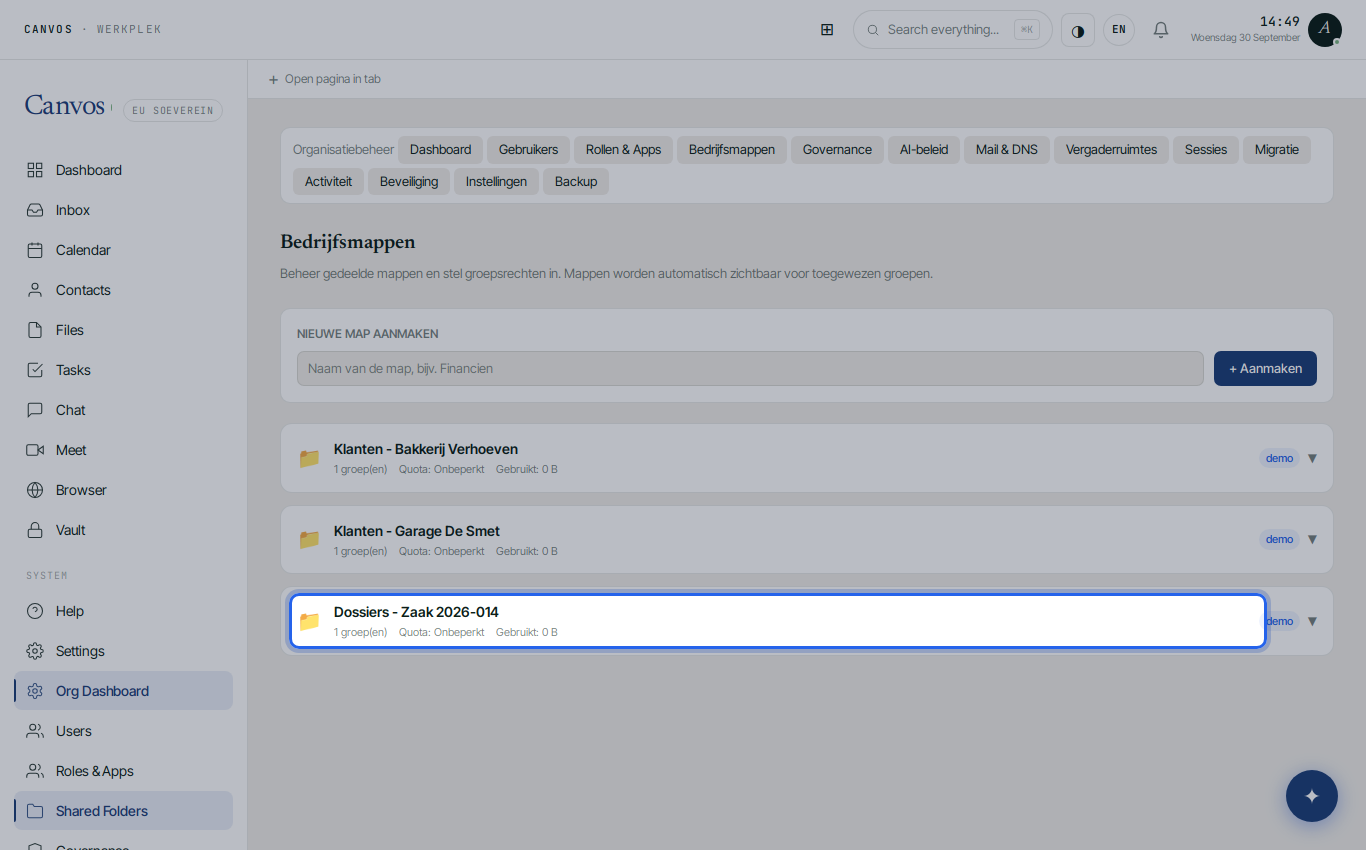
Under Bedrijfsmappen (company folders) create a folder per case or per client, for example Dossiers - Zaak 2026-014, and give access only to the case team's group. Whoever is not in the group does not see the folder, not even in search. Trainees and the secretariat get exactly the folders they need.
The Confidential label
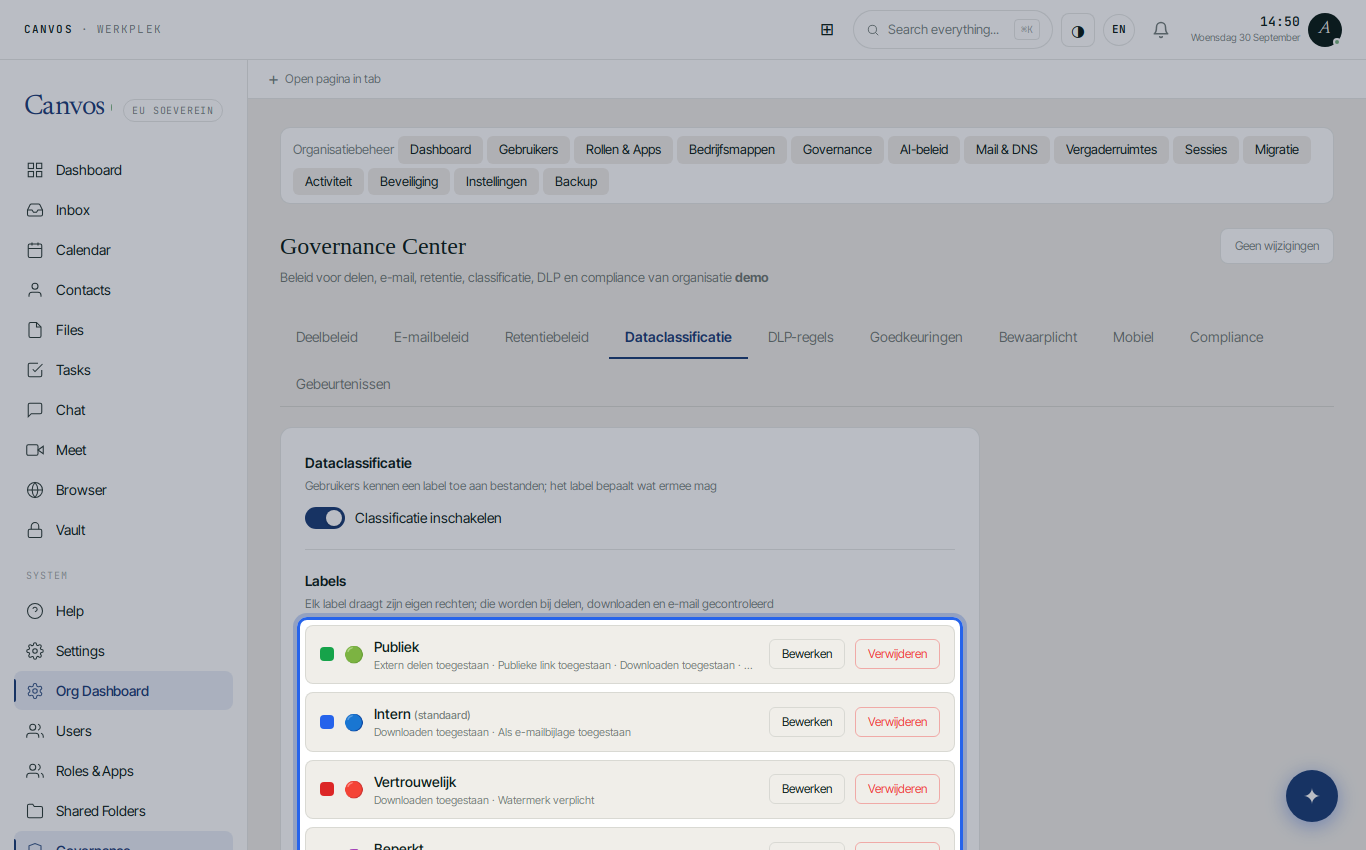
In the Governance Center, tab Dataclassificatie, sits the label Vertrouwelijk (Confidential): not shareable externally, no public link, no email attachment and a mandatory watermark with the name and date of whoever opens the document. Set it as default label for the case folders. A brief that tries to leave as an attachment is blocked and logged.
Legal hold on a disputed document
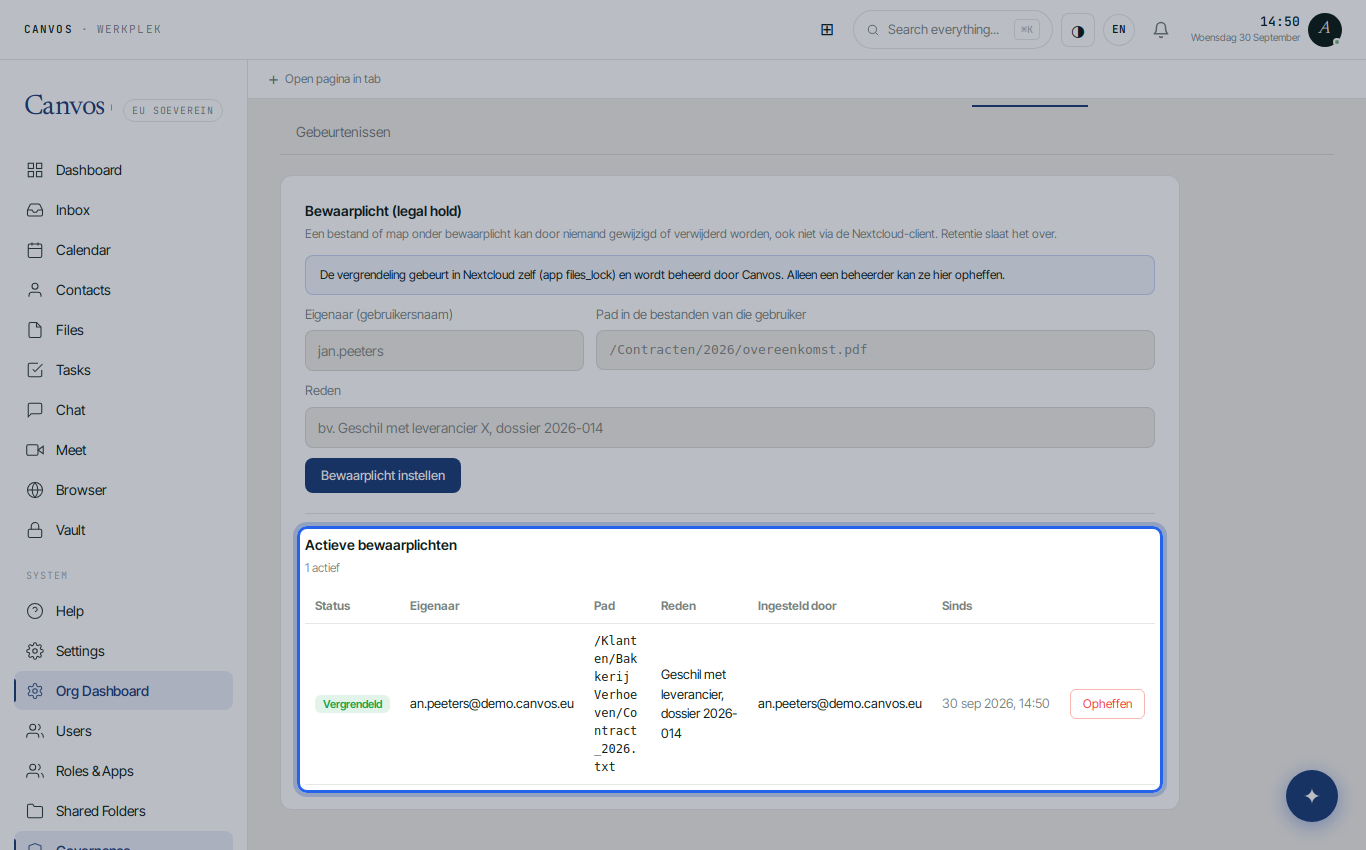
When a dispute is running, put a legal hold on the document under Bewaarplicht: owner, path and reason. From that moment nobody can change or delete the file, not even via the desktop client, and the retention policy skips it. The hold stays in the list of active holds until you lift it deliberately, with a reason, in the evidence chain.
Sharing with counsel and clients
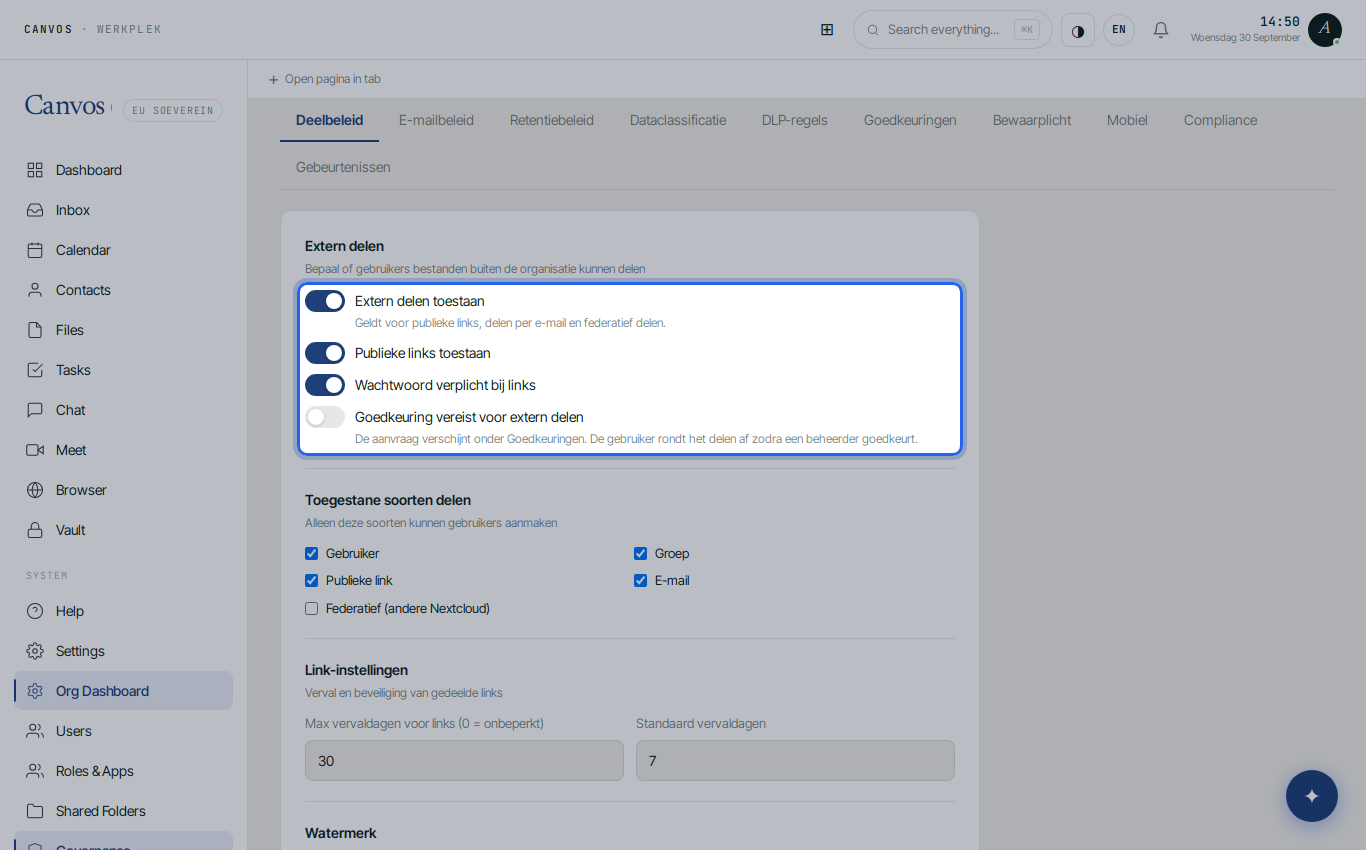
The Deelbeleid (sharing policy) applies to the whole firm: public links only with a password, valid for thirty days at most, executable files blocked. So you send a document to the other side or the client without WeTransfer and without the link still working months later. For Confidential documents, sharing outside the firm stays impossible.
The evidence chain
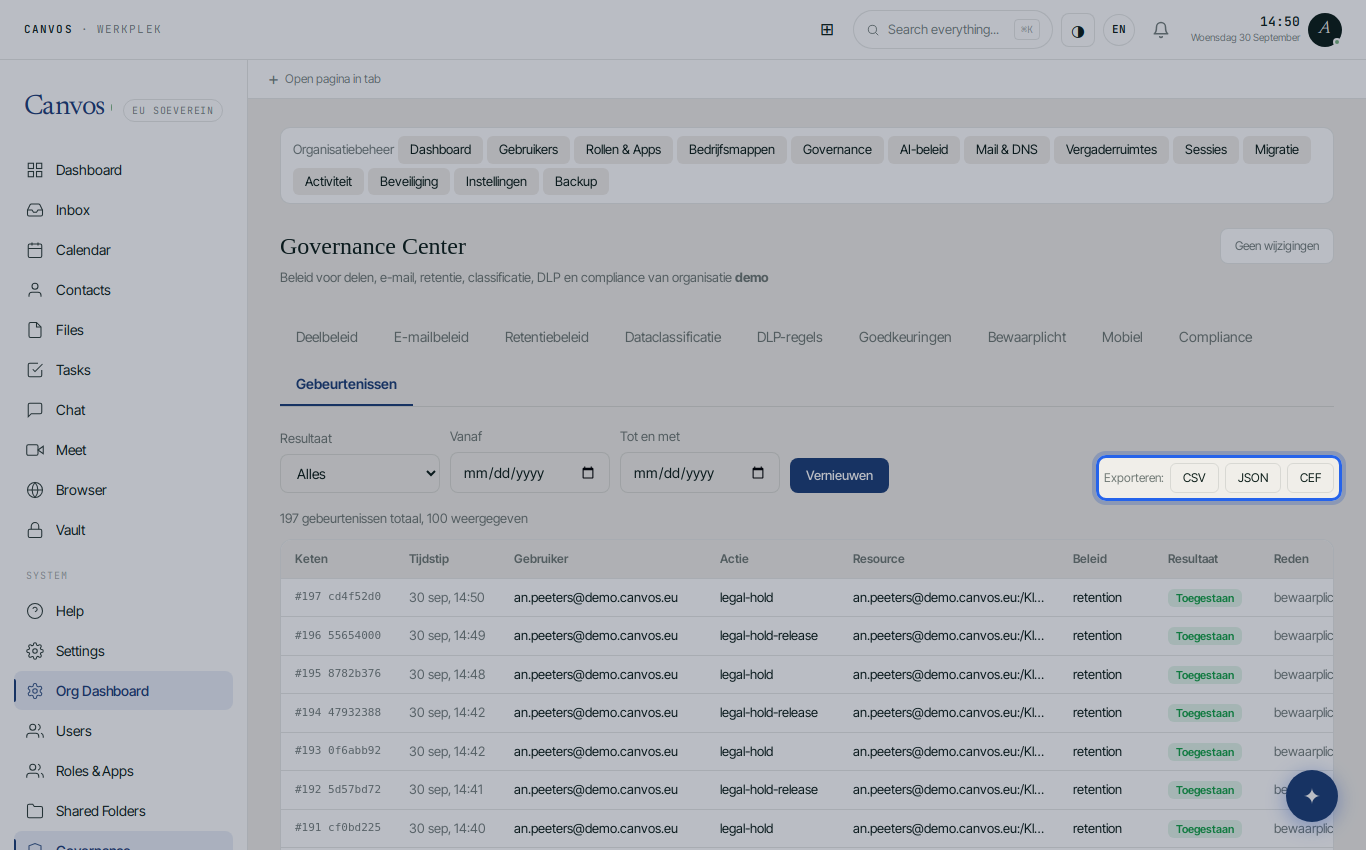
Under Gebeurtenissen (events) is every action that touched the policy: who shared a document, who was blocked, when a hold was set. The events are hash-chained and anchored daily, so they cannot be altered afterwards. Export as CSV or JSON when the bar, a disciplinary body or the court asks how a file was handled.
Retention as policy
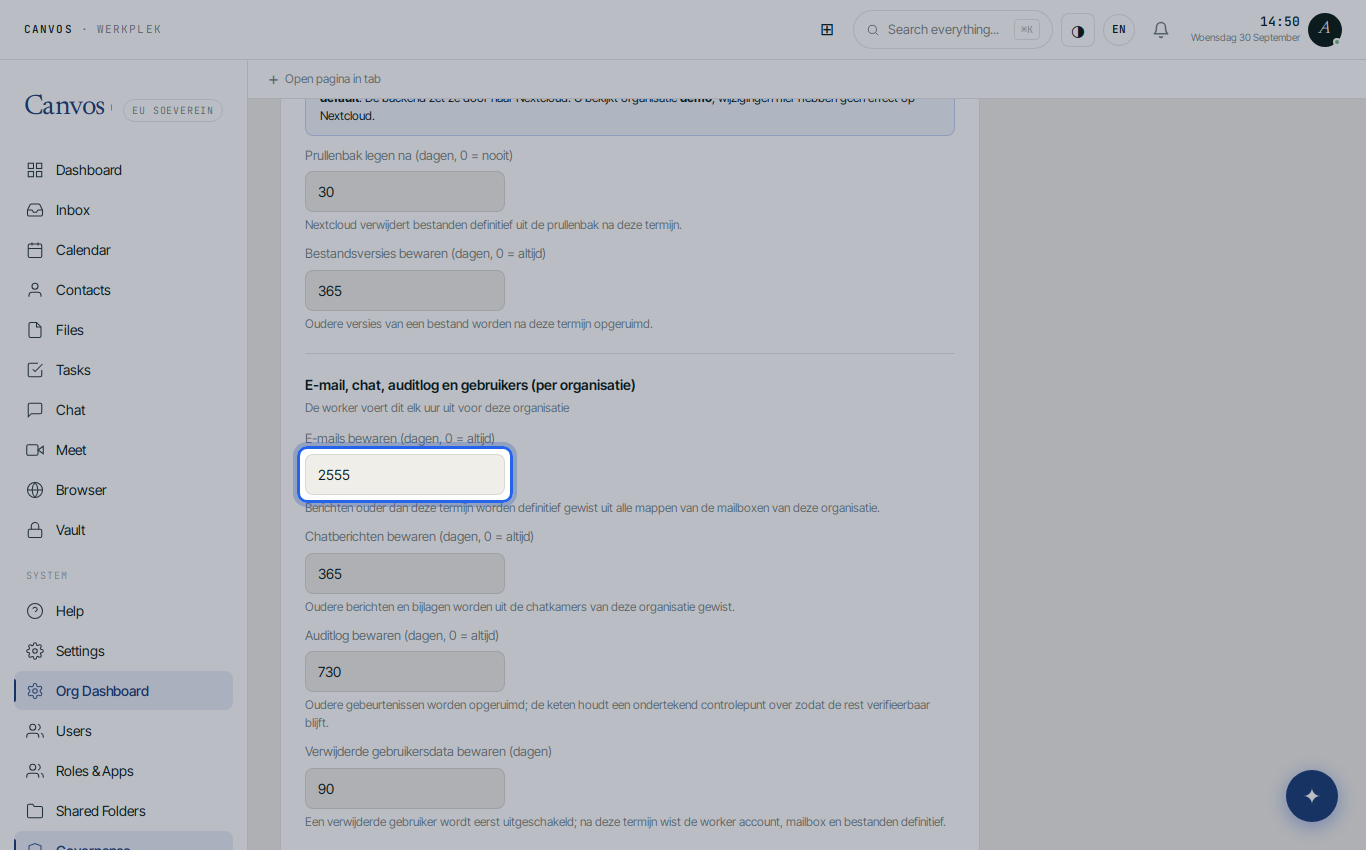
Under Retentiebeleid (retention policy) you set the periods your bar and anti-money-laundering law require: email seven years, audit log two years, recycle bin thirty days. Retention runs automatically and is logged; a document under legal hold is never touched.
Compliance score for the bar or the insurer
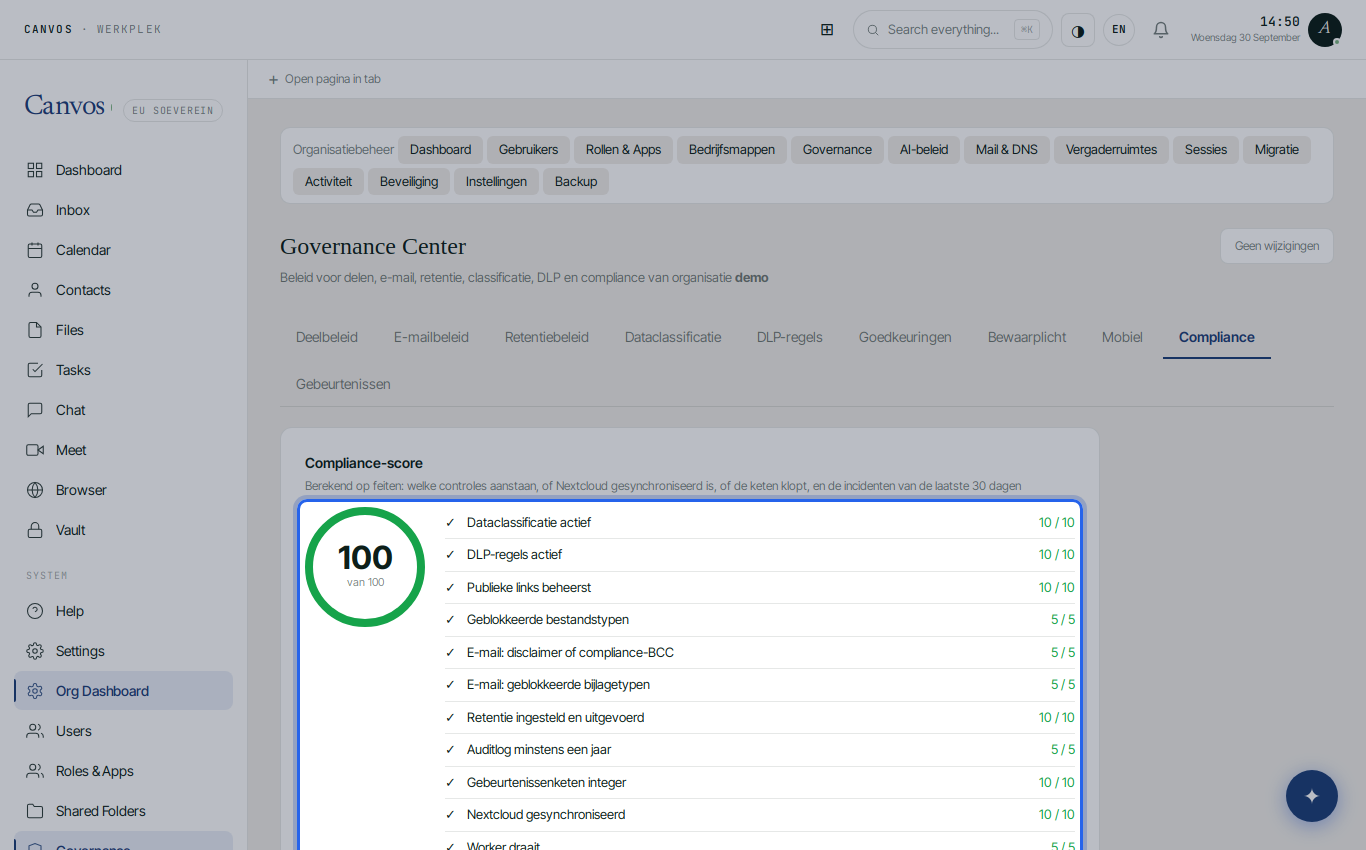
The Compliance tab computes from facts where the firm stands: classification active, DLP, public links controlled, retention executed, chain intact. The report downloads in one click for the professional liability insurer or a bar audit.
FAQFrequently asked questions
Can I still read a document under legal hold?
Yes. Reading and downloading remain possible according to the label; only changing and deleting are blocked, for everyone, administrators included. Lifting is deliberate, with a reason, and recorded in the evidence chain.
How do I share a large file with opposing counsel?
Share the folder with a secured link with password and expiry, or give counsel temporary access as an external user. Documents labelled Confidential you first deliberately relabel to a shareable label, and that is logged.
Does this work with our case management software?
Canvos is the workplace for documents, mail and calendar; you keep using your case management or accounting software. Files are reachable through WebDAV and the desktop client for integrations.
What about client email?
Mail on your own domain falls under the same retention and email policy: mandatory disclaimer, blocked attachment types and seven-year retention. A shared mailbox per case is possible; see the accountants guide.