Sooner or later someone asks: the accountant, the DPO, a large client, an insurer. Can you show how you handle data? In most companies a search begins. In Canvos the answer is a tab. The compliance score does not count what you intend, but what is switched on: DLP rules, sharing policy, retention, classification, an intact evidence chain, a running worker. Whatever is missing is listed, with the points it earns. And the report is one click. Note: the Governance Center is currently shown in Dutch; the captions below translate every step.
Step by stepSix steps to a report
1. Open the Compliance tab 2. Read the compliance score 3. See what is left to gain 4. Verify the evidence chain 5. Generate the report 6. Let it arrive monthly by itself
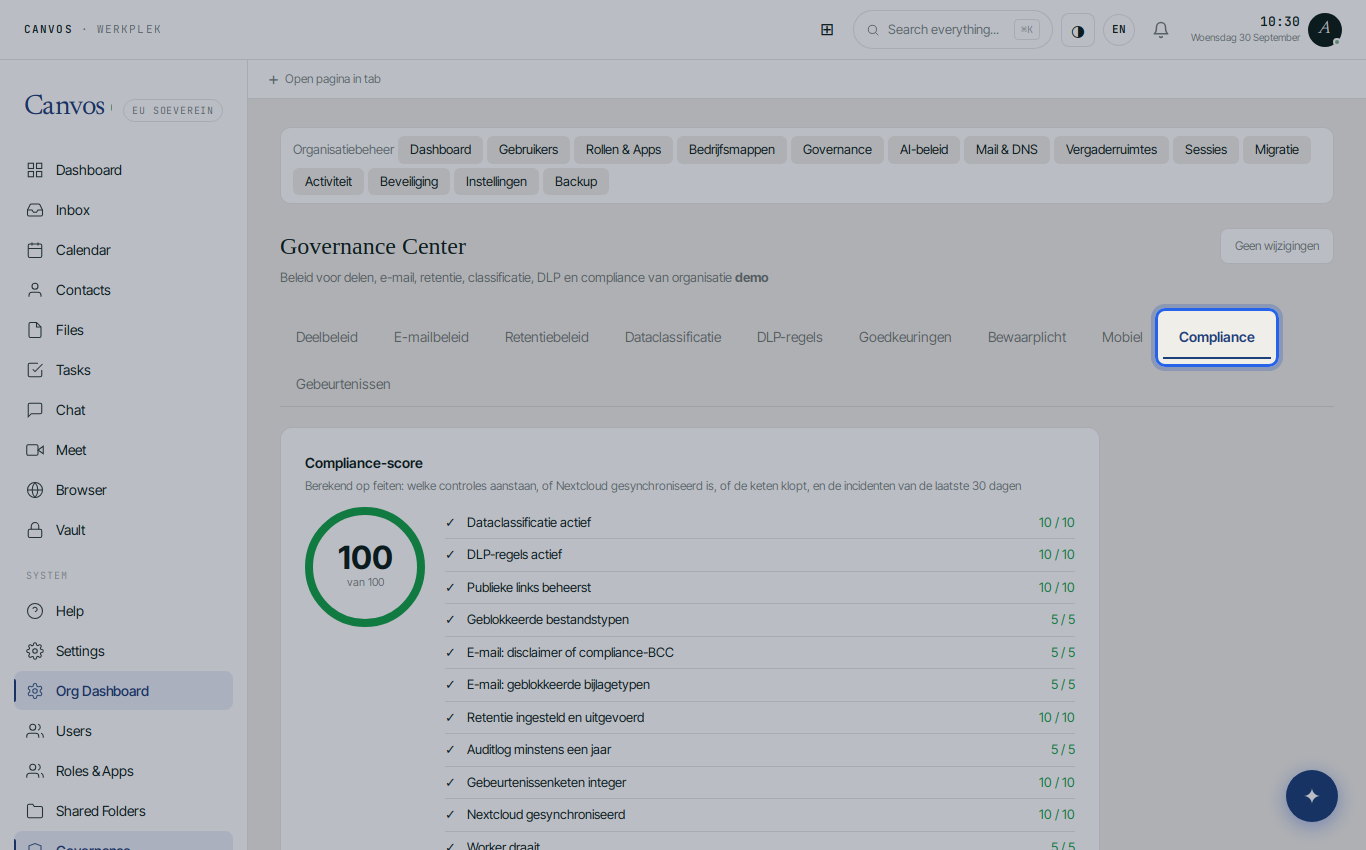
Open the Compliance tab
Log in as an administrator, click Governance in the sidebar and choose the Compliance tab.
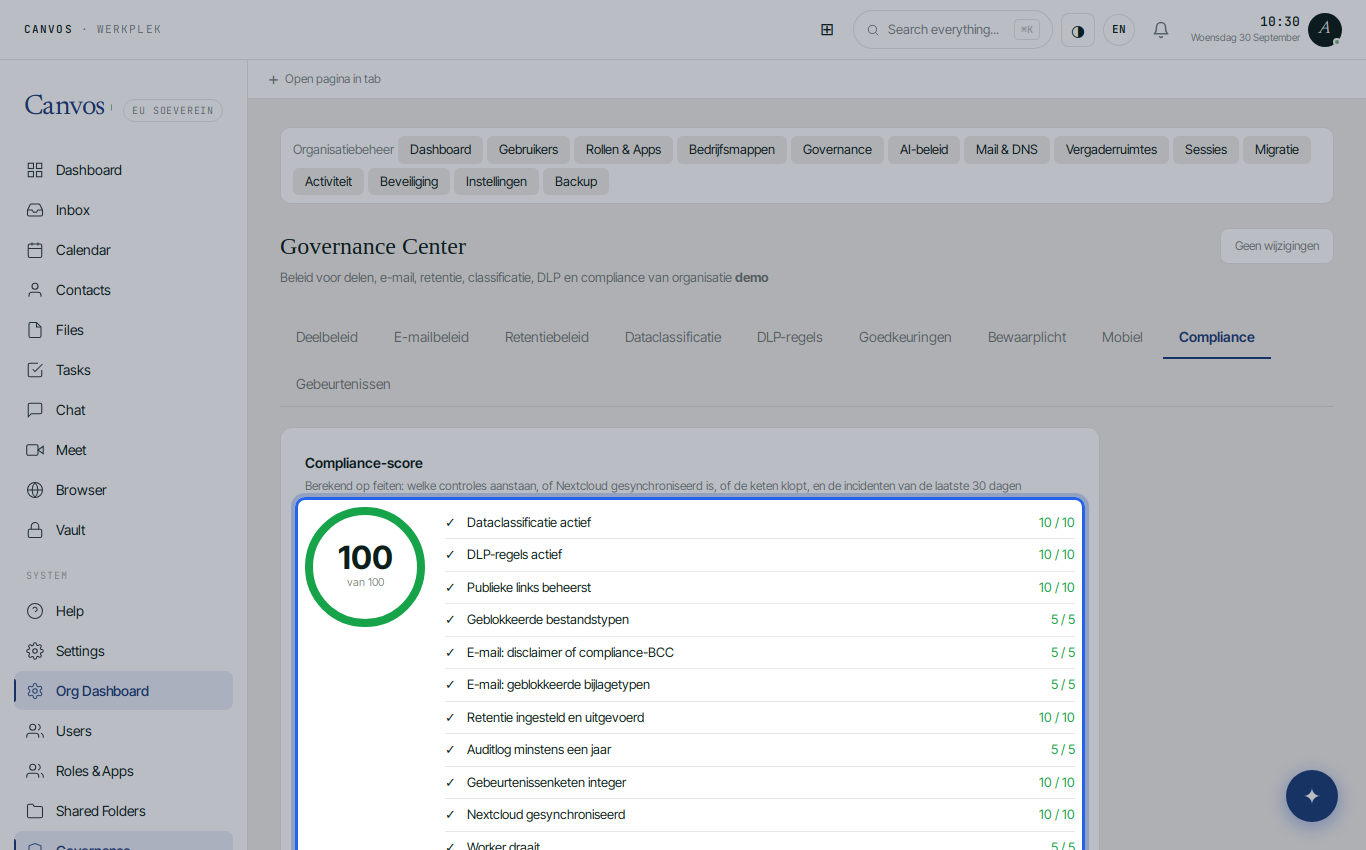
Read the compliance score
At the top is the score out of 100, computed from facts: which controls are on, whether Nextcloud is synchronised, whether the chain holds, and the incidents of the last 30 days. An organisation that is just starting sits around 50. Every guide in this series you apply raises the score.
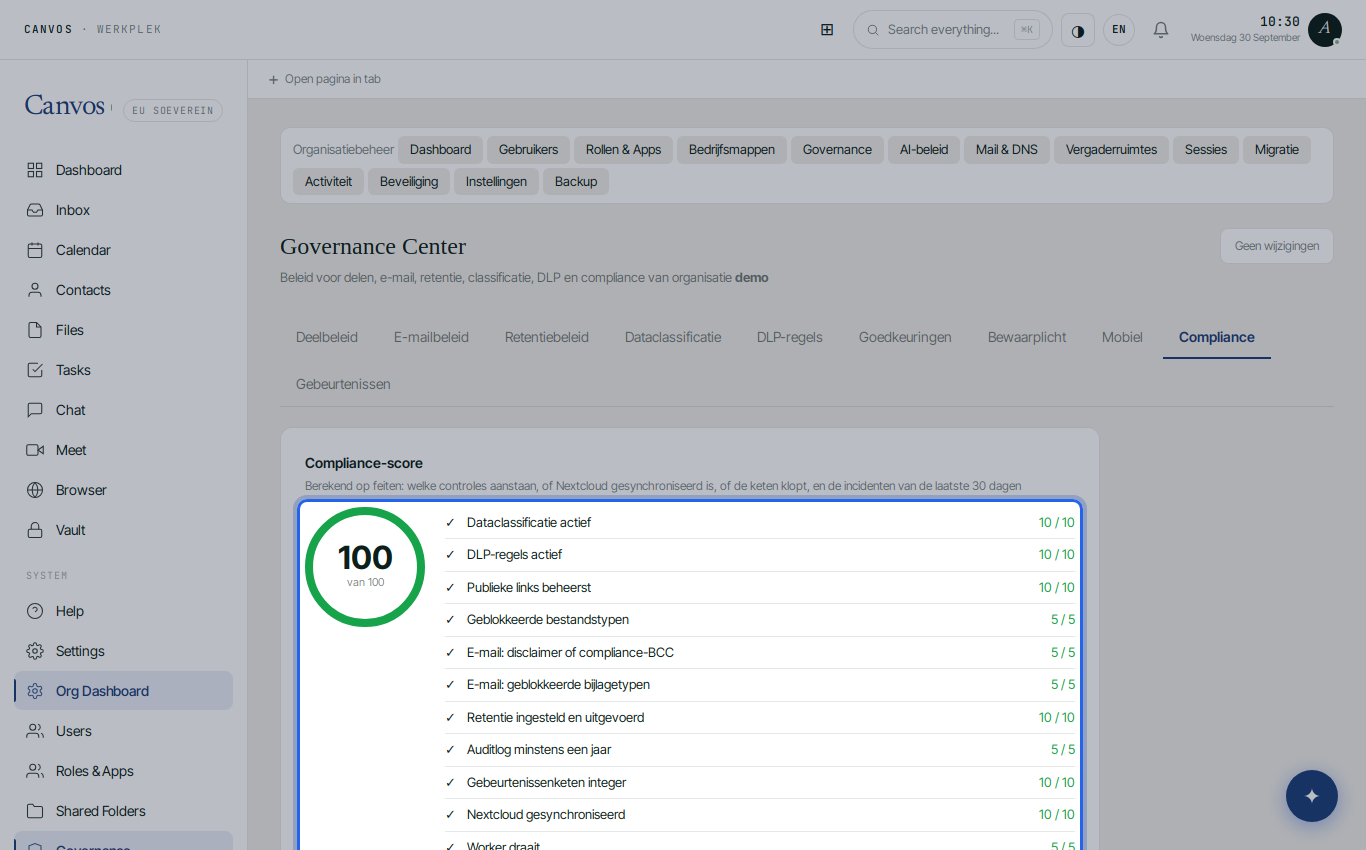
See what is left to gain
Below the score every control is listed separately, with a tick and the points earned. A line without a tick tells you exactly what to do: for example Publieke links beheerst (public links controlled) asks for a mandatory password and a maximum expiry, which you set in the Sharing policy. The tab becomes your to-do list.
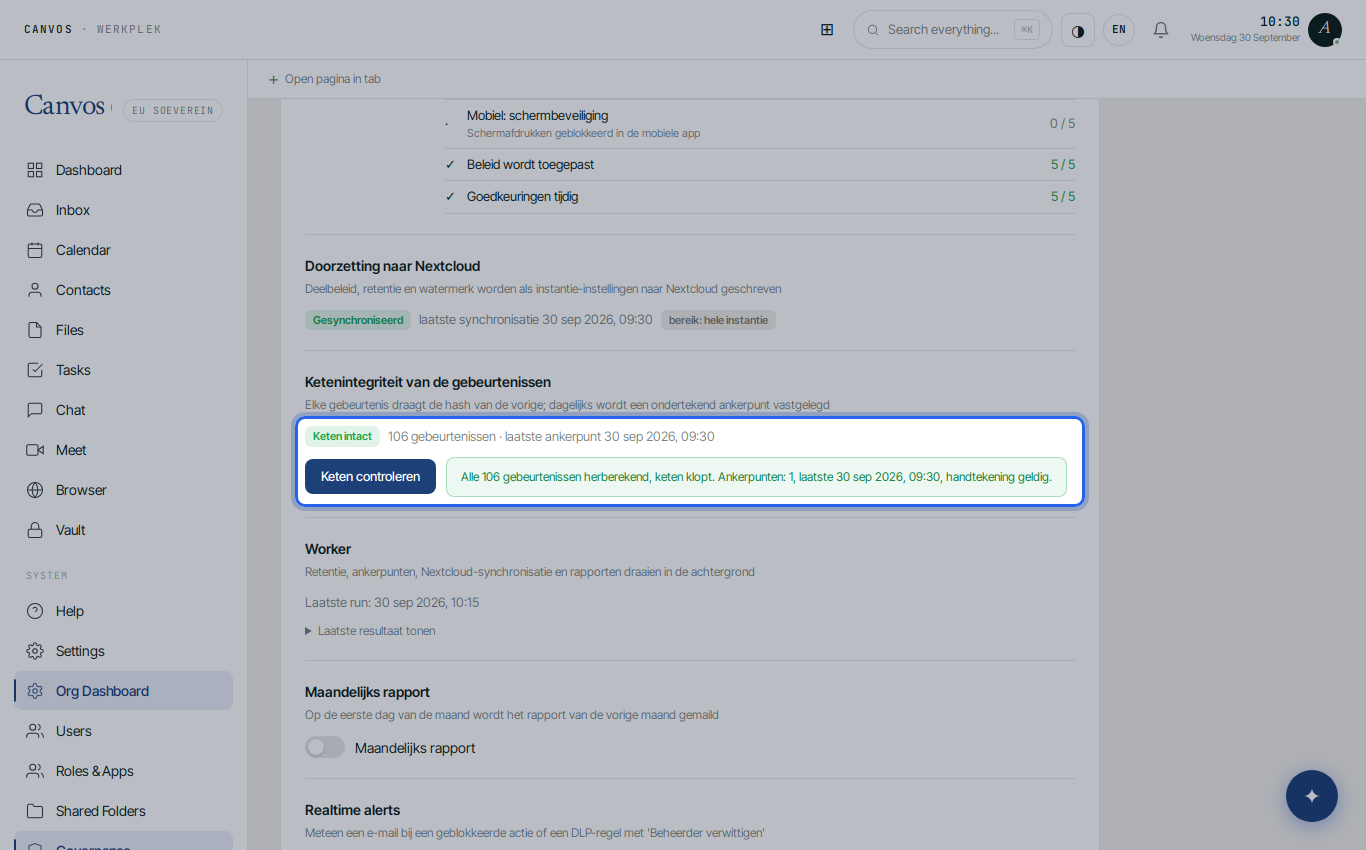
Verify the evidence chain
In the section Ketenintegriteit van de gebeurtenissen (chain integrity of the events) click Keten controleren (verify chain). Canvos recomputes every hash in the log and checks the signed anchor points. The result states how many events were checked and that the chain holds: the sentence an auditor wants to read.
Generate the report
Under Compliance-rapport choose the period and click Compliance-rapport genereren (generate compliance report). Canvos creates a PDF with the policy that applied, the score, the incidents and the chain check for that period. The file downloads immediately; the generation itself is also logged.
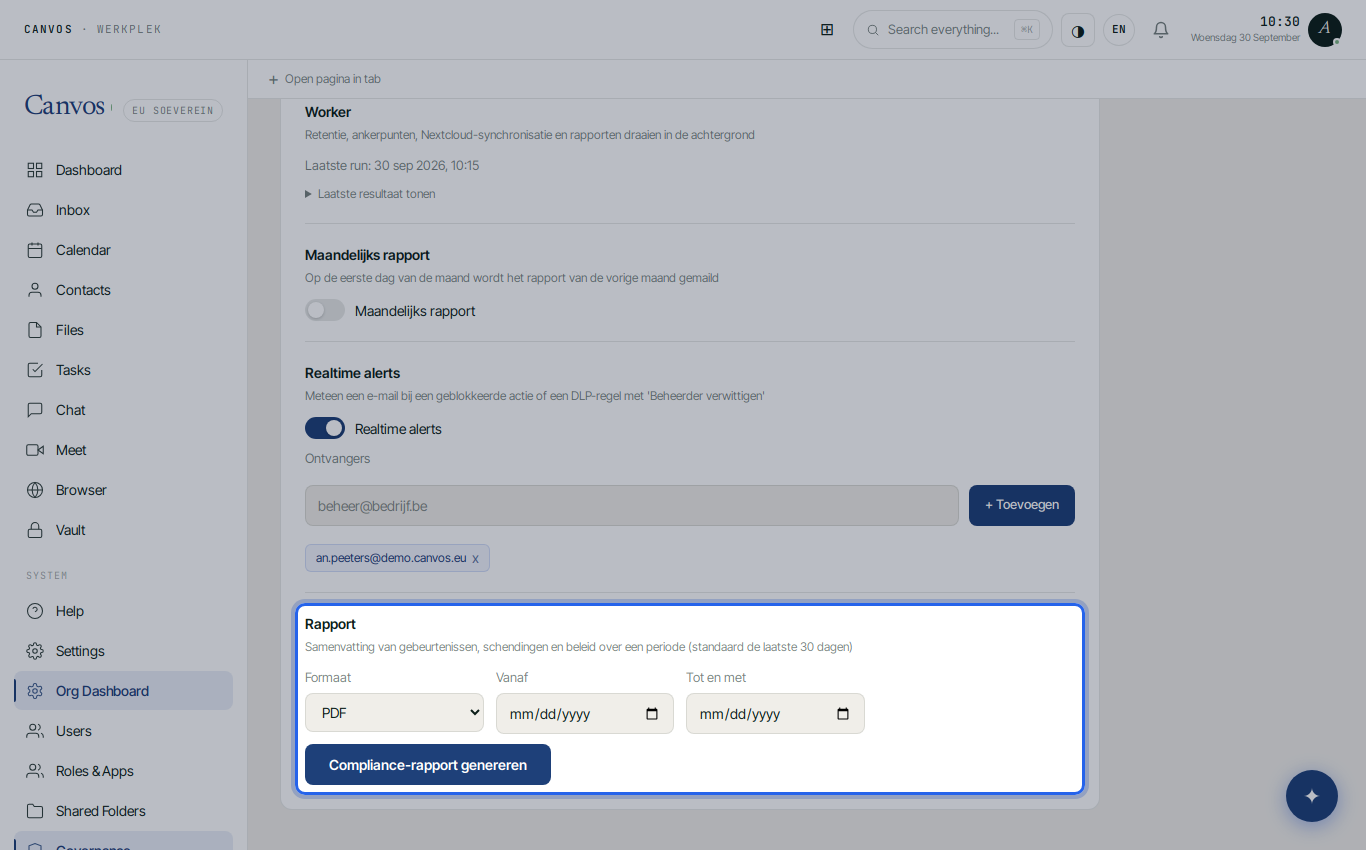
Let it arrive monthly by itself
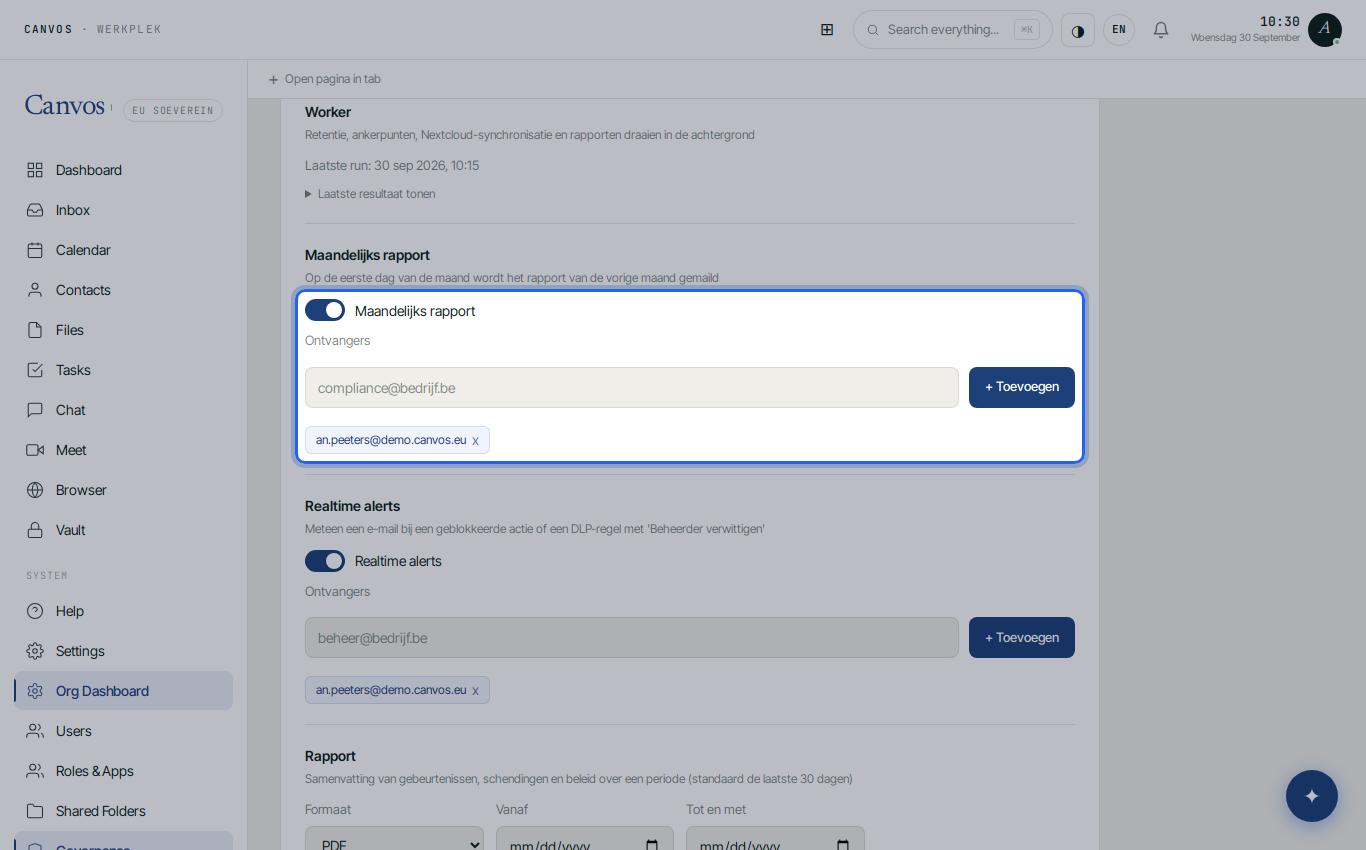
Switch on Maandelijks rapport (monthly report). On the first day of every month Canvos emails last month's report to the recipients you specify, for example your DPO and your accountant. Nobody has to ask any more.
FAQFrequently asked questions
What is in the PDF report?
The policy that applied in the chosen period (sharing, email, retention, classification, DLP), the compliance score and its build-up, the events and incidents of that period, and the result of the chain verification.
Why is my score low although I configured policy?
The score only counts what is on and executed. Retention only counts once Actually run retention is on, and public links only count once a password and a maximum expiry are mandatory. Every line under the score says what is missing.
Who receives the monthly report?
The recipients you specify under Compliance. The report goes by email, on the first day of the month, about the previous month.
Can I create a report for a specific period, for example for an audit?
Yes. Choose the start and end date and click Generate compliance report. You can create as many reports as you like; each generation is logged.